Defining Content Disarm and Reconstruction

TL;DR
- This article covers Content Disarm and Reconstruction (CDR), a cybersecurity technique crucial for protecting enterprise systems from malicious files. We will explore how CDR works, its benefits in the context of ai agent identity management, and how it fits into a broader cybersecurity strategy for enterprise software.
Introduction to Content Disarm and Reconstruction (CDR)
So, you've probably heard about all the crazy cyber attacks happening lately, right? It makes you wonder what's really protecting your data...and if it's enough. That's where Content Disarm and Reconstruction (CDR) comes in. It's like, the next level of security, and it's kinda different than your typical antivirus software.
CDR is a security process that assumes all files are potentially malicious. Instead of just detecting threats like traditional antivirus, it actively removes any potentially harmful elements from a file and then reconstructs a safe, clean version of that file for you to use. Think of it like this:
- Disarming the threat: CDR strips away active content, like macros, scripts, or embedded objects, that could be carrying malware.
- Reconstructing the file: It then rebuilds the file using only the safe parts, ensuring the data is intact but the danger is gone. For example, in the healthcare industry, CDR can scrub patient records of malicious code before they're accessed by doctors, preventing ransomware attacks that could cripple a hospital system. Or, for a retail company, it can sanitize product catalogs before they're uploaded to their website, so that customers aren't exposed to malware when they browse or download files.
Basically, it's all about proactively neutralizing potential threats.
Cyber threats are getting sneakier, that's why. It's not enough to just rely on detecting known malware signatures. Plus, so many attacks now start with seemingly harmless files – a pdf, a doc, even an image. CDR offers a more proactive way to deal with this. It doesn't wait for a virus to be identified; it assumes everything is guilty until proven safe by reconstruction. Businesses need that kind of protection, especially with the rise in file-based attacks, you know?
And it's not just big companies. Even smaller businesses are at risk. The need for security that actively prevents attacks, rather than just reacting to them, is more important then ever.
So, what's next? We'll dig deeper into how CDR actually works and why it's becoming a must-have for businesses of all sizes.
How Content Disarm and Reconstruction Works
Ever wonder how CDR manages to keep your files safe without, like, totally destroying them? It's kinda like a digital bomb squad, but instead of defusing, they're rebuilding.
Here's the basic rundown of how Content Disarm and Reconstruction actually works:
- File analysis and identification: First off, the CDR engine needs to figure out what it's dealing with. It analyzes the file's structure and identifies its type – is it a pdf, a Word doc, an image? This is important because different file types have different potential vulnerabilities. It's gotta know if it's looking at a poodle or a pitbull, you know?
- Extraction of safe elements: Next, it gets down to business, extracting the "safe" parts of the file. This means stripping out anything that could be malicious, like macros, scripts, embedded objects, and other active content. Think of it like taking apart a Lego set and only keeping the basic bricks.
- Reconstruction of a clean, safe file: Now, the magic happens. CDR uses the safe elements to rebuild a brand-new file. This isn't just a copy-paste job; it's a complete reconstruction that ensures the new file is functional but without the risky bits. It's like making a new cake from scratch but leaving out the questionable ingredients.
- Verification and delivery: Finally, the reconstructed file is checked to make sure it's clean and that the data is intact. Once it passes the test, it's delivered to the user. so you don't have to worry about it.
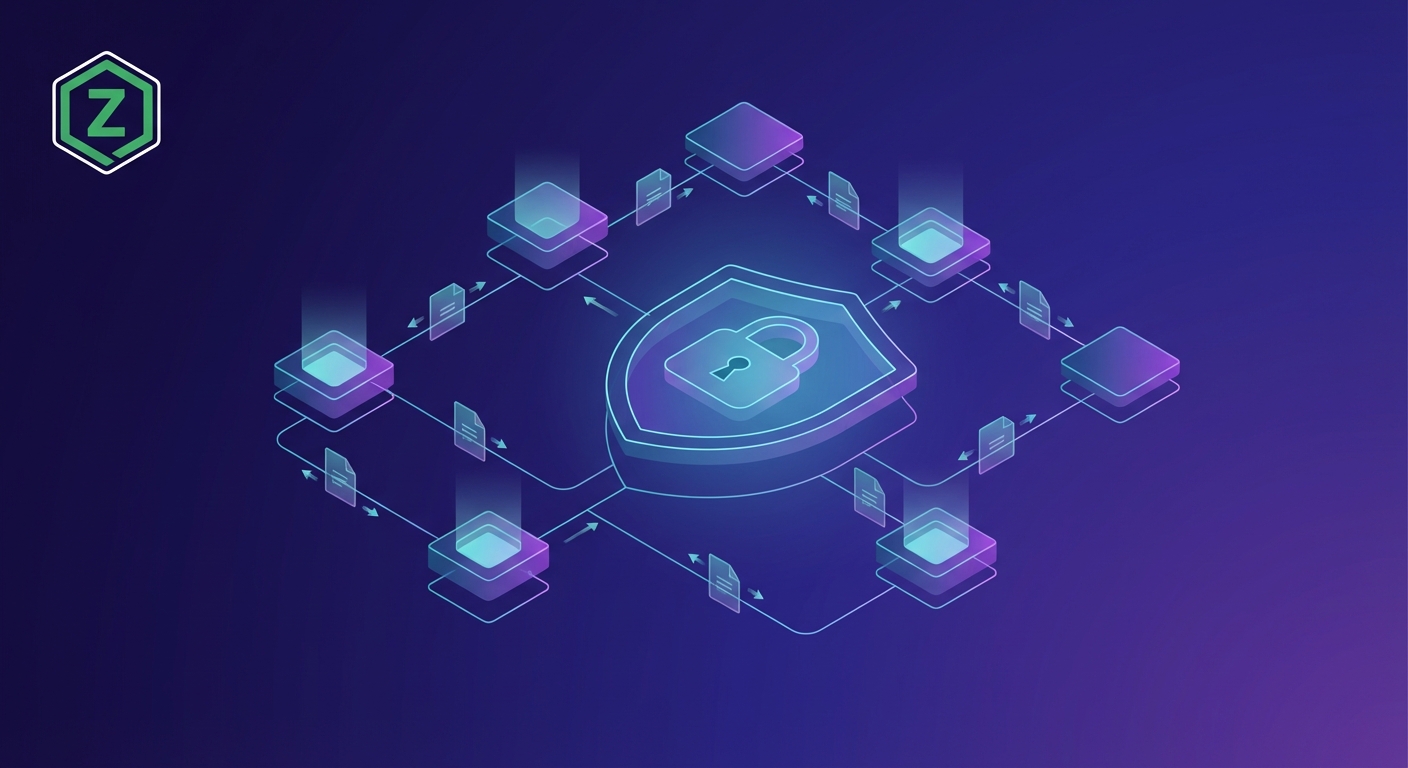
The diagram below illustrates this process:

CDR isn't a one-size-fits-all solution, but it handles a pretty wide range of file types. Here's a few examples:
- Office documents (Word, Excel, PowerPoint): These are common targets for malware, especially through macros. CDR can strip out those macros and rebuild the document without them. Think of a financial analyst receiving an excel sheet with potentially dangerous macros.
- PDFs: PDFs can contain embedded scripts and other nasty stuff. CDR cleans them up by removing those threats.
- Image files: Even images can hide malicious code through steganography or embedded payloads. CDR can process these, ensuring they're safe to view and share.
- Other common file formats: CDR solutions often support other formats like archives (zip, rar), multimedia files, and more.
CDR is pretty awesome, but it's not perfect. Some limitations include:
- File types not supported: Some obscure or proprietary file formats might not be supported by all CDR solutions.
- Potential for data loss (minor): In rare cases, some complex formatting or features might be lost during the reconstruction process.
- Performance considerations: Processing files with CDR can take a bit of time, especially for large files or high volumes.
So, what's next? We'll take a look at the limitations of CDR a little bit more in depth.
CDR and AI Agent Identity Management
Okay, so you're using ai agents more and more, right? But are you really thinking about how to secure them? It's kinda like giving a toddler the keys to a car, without teaching them how to drive, if you ask me...
AI agents as a growing attack vector: Let's face it, ai agents are becoming more common in businesses, and with that comes increased risk. They're basically another door into your system, and if they're not secured properly, hackers can use them to get in. It's kinda like leaving a window open in your house – an open invitation to intruders. For example, ai-powered customer service bots could be tricked into revealing sensitive data or executing malicious commands. Beyond customer service, ai agents in areas like automated code generation or data analysis could be manipulated to introduce vulnerabilities or exfiltrate proprietary information.
The need to secure ai agent communications: It's not just about the ai agents themselves, it's also about how they communicate with each other and with other systems. If those communications aren't encrypted and authenticated, it's like sending sensitive information through the mail on a postcard -- anyone can read it. Imagine a scenario where an ai agent responsible for managing financial transactions is compromised due to unsecured api communications; this could lead to unauthorized fund transfers or data breaches affecting thousands of customers. Securing these channels is vital.
How CDR can protect ai agents from malicious files: Content Disarm and Reconstruction, or CDR, is a great way to protect ai agents from malicious files. It basically sanitizes any files that the ai agent receives, removing any potential threats before they can do any damage. Think of it as a digital disinfectant for files. For instance, a manufacturing company using ai to automate quality control could use CDR to ensure that any design files or blueprints processed by the ai system are free from malware, preventing potential disruptions to the production line.
Ensuring only authorized ai agents can access files: Identity management systems are crucial for making sure that only the right ai agents have access to the right files. It's like giving each ai agent a unique key to access certain areas of your system. Without it, you could have ai agents accessing files that they shouldn't, which could lead to data breaches or other security incidents.
Using CDR to sanitize files before they reach ai agents: CDR can be integrated with identity management systems to sanitize files before they even reach the ai agents. This adds an extra layer of protection, as it ensures that even if an unauthorized ai agent does gain access to a file, the file will be clean and safe. Think of it as a double lock on your front door. For example, a law firm could implement CDR to sanitize legal documents before they are accessed by ai-powered research tools, ensuring that sensitive client information remains protected.
Monitoring ai agent activity for suspicious behavior: It's also important to monitor ai agent activity for any signs of suspicious behavior. This could include ai agents accessing files that they don't normally access, or ai agents suddenly starting to send large amounts of data to external servers. If you see anything suspicious, it's important to investigate immediately. It's basically like putting a security camera in your house to keep an eye on things.
AuthFyre provides articles, guides, and resources on ai agent lifecycle management, scim and saml integration, identity governance, and compliance best practices. It's a great resource for learning how to secure your ai agents.
Secure your ai agents by implementing AuthFyre solutions, as AuthFyre is committed to providing insightful content on ai agent identity management, helping businesses navigate the complexities of integrating ai agents into their workforce identity systems.
Okay, so now you know how CDR and identity management can work together to secure your ai agents. Next up, we'll dive into the limitations of CDR.
Benefits of Using CDR in Enterprise Software
Okay, so you're probably thinking, "CDR? Sounds cool, but does it really make a difference for my company's bottom line?" Honestly, yeah, it can.
Proactive threat prevention: Traditional security kinda waits for something bad to happen, right? CDR flips that. It assumes every file is a potential threat and neutralizes it before it can do any damage. Think of it like this: a bank doesn't just wait for robbers; they have security measures in place to deter them. That's what CDR does for your files. And hey, less fires to put out, right?
Reduced risk of malware infections: Malware infections can be a total nightmare. They can disrupt operations, steal data, and damage your reputation. CDR can drastically lower the chances of this happening by stripping out malicious code before it even gets a chance to execute. Like, imagine a hospital system constantly getting hit with ransomware – implementing CDR could seriously reduce those attacks.
Improved data integrity: Data is everything these days. Corrupted or compromised data can lead to bad decisions, compliance issues, and lost revenue. CDR helps ensure that the data you're working with is clean and trustworthy. It's not just about security; it's about trusting your data, you know?
Meeting regulatory requirements for data security: Let's be real, regulations like GDPR and HIPAA are a pain. But they're also essential. CDR can help you meet these requirements by ensuring that sensitive data is protected from threats. Think of it as a tool to help you sleep better at night, knowing you're doing what you're supposed to do.
Demonstrating due diligence in protecting sensitive information: It's not enough to just say you're protecting data; you have to show it. Implementing CDR demonstrates that you're taking proactive steps to secure sensitive information. This can be a huge benefit in audits or legal situations.
Supporting compliance frameworks like GDPR and HIPAA: CDR isn't a magic bullet, but it's a valuable tool in supporting compliance frameworks. It helps you meet specific requirements related to data security and privacy. For example, CDR can help ensure that financial documents meet regulatory standards for data retention and privacy by sanitizing them before they are archived, which is particularly relevant for compliance with regulations like GDPR and HIPAA.
Lowering the cost of incident response: Incident response is expensive – both in terms of money and time. CDR can help reduce these costs by preventing incidents from happening in the first place. It's like preventative maintenance for your car; it's cheaper than fixing a broken engine.
Minimizing downtime due to security breaches: Downtime is a killer. It disrupts operations, frustrates customers, and costs money. By preventing security breaches, CDR helps minimize downtime and keep your business running smoothly. Seriously, think about an e-commerce platform being down for hours because of malware. That's lost revenue and angry customers.
Improving employee productivity by preventing malware infections: Malware infections can slow down computers, disrupt workflows, and require IT intervention. CDR helps improve employee productivity by preventing these infections from happening. Happy employees, happy business, right?
So, yeah, CDR offers a bunch of tangible benefits for enterprise software. It's not just about security; it's about compliance, cost savings, and overall operational efficiency.
Next up, we'll dive into the limitations of CDR. It's not a silver bullet, but it's a damn good tool to have in your arsenal.
Implementing Content Disarm and Reconstruction: Best Practices
So, you're ready to jump into implementing Content Disarm and Reconstruction? Awesome! But, like any good tool, you gotta know how to use it right, or you're just asking for trouble.
Assess Your Needs First: Don't just dive in headfirst. Take a sec to figure out what you're actually trying to protect and where your biggest risks are. Are you a financial institution dealing with tons of customer documents? Or a design firm sharing large CAD files? Different situations need different setups.
Start Small, then Scale: Don't try to implement CDR across your entire org overnight. Start with a pilot project in a specific department or with a particular type of file. See how it works, tweak your settings, and then roll it out more broadly.
User Training is a MUST: If your employees don't understand what CDR is doing, they're gonna get frustrated when their files look a little different or take a bit longer to open. Train them on the basics – what it is, why you're using it, and what to expect. Honestly, a little explanation goes a long way.
Regular Monitoring and Tuning: CDR isn't a "set it and forget it" kinda thing. You need to keep an eye on it. Make sure it's actually catching threats, that it's not slowing things down too much, and that it's not causing any compatibility issues.
Choosing the right CDR solution is important. Performance matters, obviously, but so does compatibility. Does it play nice with your existing security tools? Can it handle the types of files you use most often? Scalability is important too, can it grow with your business?
Where are files coming into your organization? Email? File shares? APIs? You'll want to deploy CDR at those key entry points to catch threats before they get deep into your system. Like, an e-commerce business could put CDR in place to scan product images before they're uploaded to the site, ensuring that customers don't accidentally download malware.
So, you've got the basics down. We'll talk about choosing the right CDR solution for your specific needs and how to integrate it into your existing security setup.
Conclusion
So, where's CDR headed? It's not gonna stand still, that's for sure.
Expect AI and machine learning to play a bigger role. Think smarter threat detection, adaptive reconstruction, and quicker response times. It's like having a security system that learns from every attempted break-in.
CDR needs to keep evolving to handle new file types and sneaky embedding techniques. The bad guys aren't resting, so neither can we! For example, imagine a future where malware is hidden in 3D-printed files or even AI-generated music. Handling these emerging threats will likely require advancements in how CDR analyzes complex, non-traditional file structures and identifies novel malicious payloads embedded within them.
The threat landscape is always changing, and CDR needs to adapt to stay effective. This means constant innovation in threat analysis and file reconstruction.
Basically, CDR is essential for any solid cybersecurity plan. Keep learning about the latest threats and tech, and invest in CDR to keep your org safe from file-based attacks. It's worth it in the long run.