A Guide to Content Disarm and Reconstruction

TL;DR
- This article covers Content Disarm and Reconstruction (cdr) techniques, explaining how they protect against file-borne threats. It details cdr's role in cybersecurity, particularly in ai agent identity management and enterprise software. The guide also explores implementation strategies and best practices for effective threat mitigation, ensuring safer ai agent integration.
Introduction to Content Disarm and Reconstruction (CDR)
Okay, so, you've probably heard about all the crazy cyberattacks happening lately, right? It's kinda scary how easily bad actors can sneak malware into systems. That's where Content Disarm and ReconstructionCDR comes into play. It's like a digital bodyguard for your files.
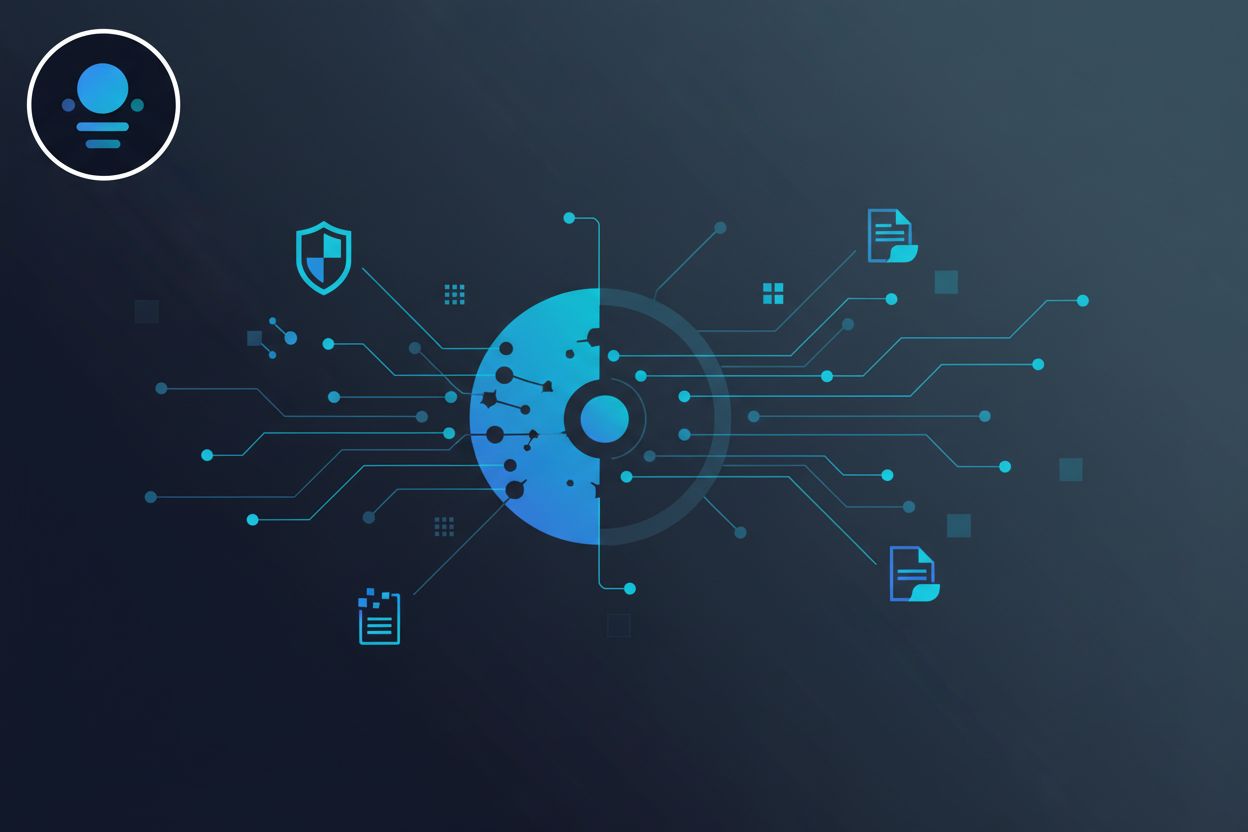
CDR is basically a security process that neutralizes potential threats by stripping away any active content within a file and reconstructing a safe, clean version. (What is Content Disarm and Reconstruction (CDR)?) Think of it like taking apart a suspicious package, removing anything dangerous, and then rebuilding it so it's harmless.
In today's world, cybersecurity is a never-ending battle, honestly. Traditional antivirus software relies on recognizing known malware signatures, but what about the new, sneaky stuff? CDR doesn't care about signatures; it focuses on making every file safe, regardless of whether it's seen the threat before. (What is Content Disarm and Reconstruction (CDR)? - Check Point)
The big difference between CDR and traditional antivirus is that antivirus tries to detect bad stuff, while CDR prevents it by assuming everything is potentially dangerous. It's a more proactive approach, which is why a lot of companies is switching to it.
Malware has evolved, like, crazy fast. It's not just simple viruses anymore. We're talking about sophisticated attacks that can bypass traditional security measures. (Inside the Mind of Malware – How Modern Threats Outsmart ...)
Attackers often use common file types like PDFs, Office documents, and images to hide malware. People trust these files, so they're more likely to open them, which makes them perfect for spreading malicious code.
The impact on enterprise security can be huge. A successful file-based attack can lead to data breaches, financial losses, and damage to a company's reputation. It's not just about the money, you know? It's about trust, too.
So, yeah, CDR is pretty important. It's a way to protect your systems from the ever-evolving threat landscape. Let's dive into how CDR actually works under the hood.
How CDR Works: A Deep Dive
Okay, so you're probably wondering, "how does all this cdr magic actually happen?" It's not like some kinda, you know, wizard spell or anything. Let's break it down...
CDR is essentially a two-step process: disarm and reconstruct. Think of it like defusing a bomb and then rebuilding it - but, like, in a safe way, of course.
The Disarm Process: This is where the file gets taken apart. The CDR engine analyzes the file's structure, looking for anything suspicious. It's like a digital detective trying to find clues. This includes identifying active content like macros, scripts, and embedded objects that could potentially be malicious. Then, it neutralizes these threats by removing or disabling them. It's kind of brutal, but hey, gotta keep things safe.
The Reconstruction Process: After the "bad stuff" is removed, the CDR engine rebuilds the file using only the safe, known-good elements. It's like putting the pieces back together, but making sure you only use the clean ones. The goal is to create a new, safe file that retains the original's functionality and usability. While the aim is to maintain seamless usability, there might be minor changes or considerations for users, which we'll touch on more when we discuss implementation.
Let's get a little bit more specific, shall we?
File Structure Analysis: CDR systems are smart. They understand different file formats (like PDFs, Word documents, etc.) and how they're supposed to be structured. If something looks out of place, it raises a red flag.
Threat Identification: This involves looking for specific types of active content known to be used in attacks. For example, macros in Office documents are a common way to spread malware, so CDR systems are always on the lookout for them.
Active Content Removal: Once a threat is identified, it's removed or disabled. This might involve stripping out the macro code, flattening embedded objects, or converting the file to a safer format (like converting a Word document to a PDF).
Safe Element Reconstruction: The CDR engine then rebuilds the file using only the safe parts. This might involve recreating the document structure, re-inserting text and images, and ensuring that the file is still functional.
Imagine a hospital receiving a PDF attachment with patient records. this file could be carrying something nasty, right? The CDR system kicks in, scans the pdf, removes a sneaky embedded script designed to steal data, and then rebuilds the file, and delivers the clean file to the hospital staff. The staff gets the info they need, and the hospital avoids a data breach.
Here's a simple way to visualize the process:
So, that's basically how CDR works. not too complicated, right?
CDR in the Context of AI Agent Identity Management
Okay, so, ai agents are becoming like, super important in how businesses operate, right? but here's the thing: how do you make sure these agents are actually secure and not being used for, you know, nefarious purposes? That's where CDR comes in – it's not just for files anymore.
Think of ai agents as little workers constantly sending and receiving messages. These messages often contain sensitive data, and if a bad actor were to, like, inject malicious code into one of those messages, things could get ugly fast. CDR can help with that.
- Protecting api endpoints: ai agents often communicate through apis. CDR can be used to scrub the data that's being sent to and from these apis, ensuring that no malicious code is being injected. for example, imagine a retail chatbot using an api to access customer data. CDR can ensure that the data it receives is safe and hasn't been tampered with.
- Ensuring safe data exchange: ai agents share data between systems. CDR can be used to clean any data passing between these systems, whether its text, images, or something else. this is critical in healthcare, where ai might be used to analyze medical images; CDR can ensure that these images aren't carrying any hidden malware.
- Preventing malicious code injection: even with secure apis, there's always a risk of code injection. CDR acts as a final layer of defense, scanning all communications for any signs of malicious code and neutralizing it before it can do any damage.
It's not enough to just secure agent communications; you also need to make sure that only authorized agents are accessing sensitive data in the first place. That's where identity and access management (iam) comes into play, and how cdr can fit into the equation. The risks of unsecured ai agent identity go beyond just communication; compromised agents could impersonate legitimate users, manipulate sensitive data without authorization, or even spread misinformation across networks, leading to significant operational and reputational damage.
- Integrating CDR with iam systems: CDR can be integrated with iam systems to provide an extra layer of security. for example, before an ai agent is granted access to a database, CDR can scan its code to ensure that it hasn't been compromised.
- Controlling access to sensitive data: by combining CDR with iam, you can create a system where agents only have access to the data they absolutely need. this minimizes the risk of a compromised agent gaining access to sensitive information it shouldn't have. think of a finance ai agent; CDR can ensure it only accesses the specific financial records it needs for a particular task.
- Enforcing least privilege principles: CDR helps enforce the principle of least privilege, which means that agents should only have the minimum level of access required to perform their job. this reduces the attack surface and limits the potential damage from a compromised agent.

So, yeah, cdr isn't just for your grandpa's email attachments anymore. It's becoming a crucial part of securing the entire ai ecosystem. Now, let's talk about how to actually implement CDR in your organization.
Implementing CDR: Strategies and Best Practices
Alright, so you're sold on cdr, that's awesome. But how do you actually, like, do it? Turns out, there's a few ways to get this set up, and picking the right one really matters.
So, when it comes to implementing cdr, you've got choices. Think of it like ordering coffee—do you want to brew it at home, get it delivered, or go to a coffee shop? each has its pros and cons, right? Same deal here.
- On-Premise: this is the "brew it at home" option. You host everything yourself, on your own servers. It gives you total control, which is great if you're paranoid about data (and, honestly, who isn't these days?). But, uh, it's also the most work. You're responsible for everything: updates, maintenance, scaling... everything.
- Cloud: Think "coffee delivery." a third-party provider handles all the heavy lifting. It's usually more scalable and often cheaper upfront. The downside? You're entrusting your files to someone else's cloud. Make sure they have a solid reputation, you know?
- Hybrid: The "coffee shop" approach. A mix of on-premise and cloud. You might keep sensitive data on-premise while using the cloud for less critical stuff. It's a balancing act, trying to get the best of both worlds.
Choosing the right model really depends on your organization's needs. Like, a small business might find the cloud super appealing because it's easier to manage. But a large bank? They might lean towards on-premise for security reasons. It's not a one-size-fits-all thing.
CDR doesn't live in a vacuum. It needs to play nice with your existing security tools, like firewalls, Intrusion Detection Systems (idss), and siem tools. Think of it as adding a new member to your security team; they need to know how to work with everyone else.
- Working with Firewalls and idss: CDR can complement these tools by providing an extra layer of defense against file-based threats. For example, a firewall might block suspicious traffic, and then cdr can scan any files that do get through.
- Automating Threat Response: Ideally, when cdr detects a threat, it shouldn't just sit there. It should automatically trigger a response, like quarantining the file or alerting your security team. Automation is key to staying ahead of attacks.
- Centralized Management: You don't want to manage your cdr system in isolation. It should be integrated into your centralized security management console, so you can monitor everything in one place.

CDR isn't just a plug-and-play solution. You need to configure it to fit your specific needs. This means defining what file types to scan, setting rules for disarming and reconstruction, and tailoring it to your business processes.
- Defining Acceptable File Types: You probably don't need to scan every file type. Focus on the ones that are most likely to be used in attacks, like office documents, PDFs, and archives.
- Setting Disarm and Reconstruction Rules: This is where you decide how aggressively to disarm files. Do you want to strip out all macros, or just the ones that look suspicious? How do you want to handle embedded objects?
- Tailoring to Business Needs: Think about how cdr will affect your users. You don't want to make it so difficult to open files that people start complaining. Find a balance between security and usability.
Getting cdr right isn't a walk in the park, I won't lie. But with careful planning and configuration, you can seriously level up your security game.
Evaluating CDR Solutions: Key Features to Consider
Okay, so you're thinking about getting a cdr solution? Smart move, honestly. But with so many options, how do you pick the right one? It's not like buying a toaster, you know? You gotta think about features, what you really need, and what's just, like, bells and whistles.
File Type Support is Key: Look, if your cdr solution can't handle the file types your company uses every day, it's basically useless, right? Make sure it supports common formats like pdfs, Office docs, and zip files. But don't forget about those niche formats specific to your industry. For example, if you're in healthcare, you'll need support for dicom images; or if you're in manufacturing, maybe some specialized cad files.
Performance Matters (Duh!): Nobody wants to wait around for files to be processed. A slow cdr solution can kill productivity. you needs to look at throughput (how many files it can process at once) and latency (how long it takes to process a single file). And, uh, don't just take the vendor's word for it; try to get some real-world performance data, if you can.
Scalability is a Must: Your business is growing, right? (Well, hopefully, it is). Your cdr solution needs to grow with you. Can it handle a sudden spike in file volume? Can it easily integrate with cloud storage solutions like aws s3 or azure blob storage? These are important questions.
It's not just about supporting the file type; it's about how well it supports it. Like, can it handle complex pdfs with interactive forms? Can it properly disarm and reconstruct embedded objects in office documents? The devil's in the details, honestly.
Consider a financial institution that processes thousands of documents daily. They need a cdr solution that can handle complex excel spreadsheets with macros, but without breaking the formulas or messing up the formatting. a solution that just strips everything out isn't gonna cut it.
Imagine a large retail company that receives hundreds of thousands of product images every day. They need a cdr solution that can quickly process these images to remove any hidden malware before they're uploaded to the company's website. Slow performance here could directly impact sales.

So, yeah, picking the right cdr solution is a big deal. Think about your specific needs, test out different options, and don't be afraid to ask tough questions.
The Future of CDR: Trends and Innovations
So, you've made it to the end, huh? Cyber threats aren't going anywhere; in fact, they're evolving faster than ever. How does CDR keep up? Let's take a peek into the crystal ball and see what's next for content disarm and reconstruction.
ai and machine learning(ml) are total game-changers for pretty much everything, and CDR is no exception. Instead of relying on pre-defined rules, ai-powered CDR can learn from new threats, adapting its disarming and reconstruction techniques on the fly. It's like teaching your bodyguard to anticipate attacks before they even happen.
- Enhanced threat detection: ai can analyze file structures and identify anomalies that would easily slip past traditional CDR systems. Think of it like this: ai can spot the tiniest scratch on a seemingly perfect apple, while a human might miss it.
- Adaptive disarm and reconstruction techniques: ai can dynamically adjust how it disarms and reconstructs files based on the specific threat. For example, if ai detects a new type of macro-based attack, it can automatically update its rules to strip out those macros more aggressively.
- Automated policy management: ai can automate the process of creating and updating CDR policies, freeing up security teams to focus on other tasks. It's like having an automated assistant that takes care of the mundane stuff, so you can focus on the important things, you know?
Okay, so managing your own cdr infrastructure can be a pain, especially for smaller businesses. That's where CDR as a Service (CDaaS) comes in. It's like outsourcing your security to a team of experts who handle everything for you.
- Benefits of cloud-based CDR: CDaaS offers a bunch of advantages, like scalability, cost savings, and easier management. You don't need to worry about buying and maintaining your own hardware or software; the provider takes care of all that.
- Cost savings and scalability: CDaaS can be more cost-effective than on-premise solutions, especially for small and medium-sized businesses (smbs). You only pay for what you use, and you can easily scale up or down as needed.
- Managed security services: CDaaS providers often offer managed security services, which means they'll monitor your systems for threats and respond to incidents on your behalf. It's like having a 24/7 security team without the cost of hiring one yourself.
Zero Trust is the new buzzword in cybersecurity, and for good reason. It's all about assuming that everything is a potential threat, both inside and outside your network. CDR fits perfectly into this model.
- Ensuring every file is validated: In a Zero Trust environment, every file is treated as untrusted until proven otherwise. CDR ensures that every file is validated before it's allowed to enter your network.
- Enhancing security posture: by combining CDR with Zero Trust, you can create a much stronger security posture. It's like building a fortress with multiple layers of defense.
- Protecting against insider threats: Zero Trust isn't just about external threats; it's also about protecting against insider threats, like employees who accidentally download malicious files. CDR can help prevent these files from causing damage, even if they bypass other security measures.

So, where does that leave us? Well, CDR is only getting more crucial, especially as threats get more sophisticated. From ai-powered threat detection to cloud-based services and integration with Zero Trust architectures, the future of CDR is looking pretty bright. It's not just about protecting your files anymore; it's about protecting your entire organization.